PRO SoundEqualizer for Windows & Mac

All your sound,your way.

PRO Sound is a system-wide audio equalizer: it tunes everything that plays on Windows 10, Windows 11 or your Mac. Music, videos, games, calls and even a radio station's output, with a live spectrum analyzer.

Argentina · macOS & Windows · Free Basic editionScroll down ↓

(01)Features

Your computer, sounding better.

Install it once and it lives in the menu bar (Mac) or next to the clock (Windows). Works with any app and any output: speakers, headphones, Bluetooth or HDMI.
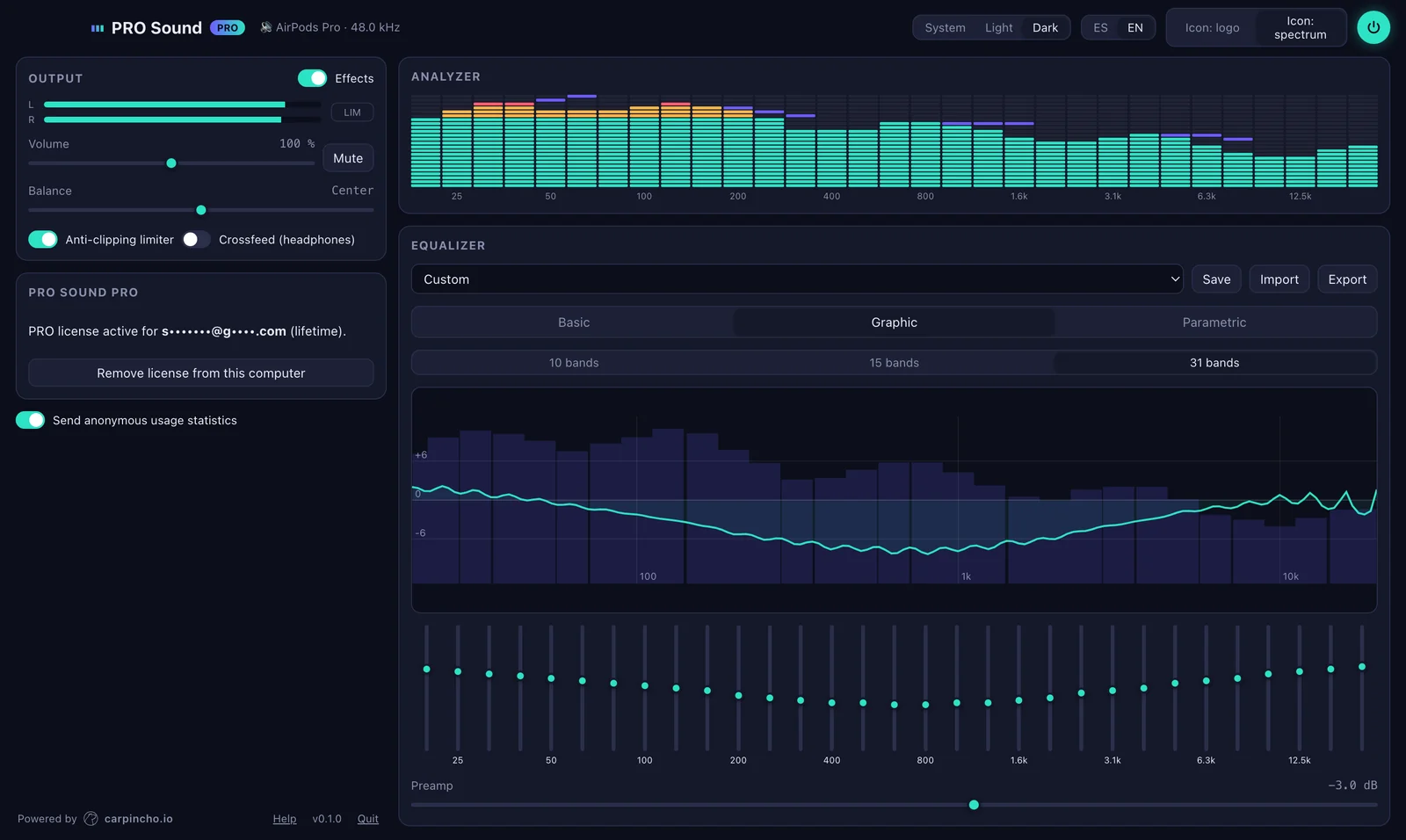
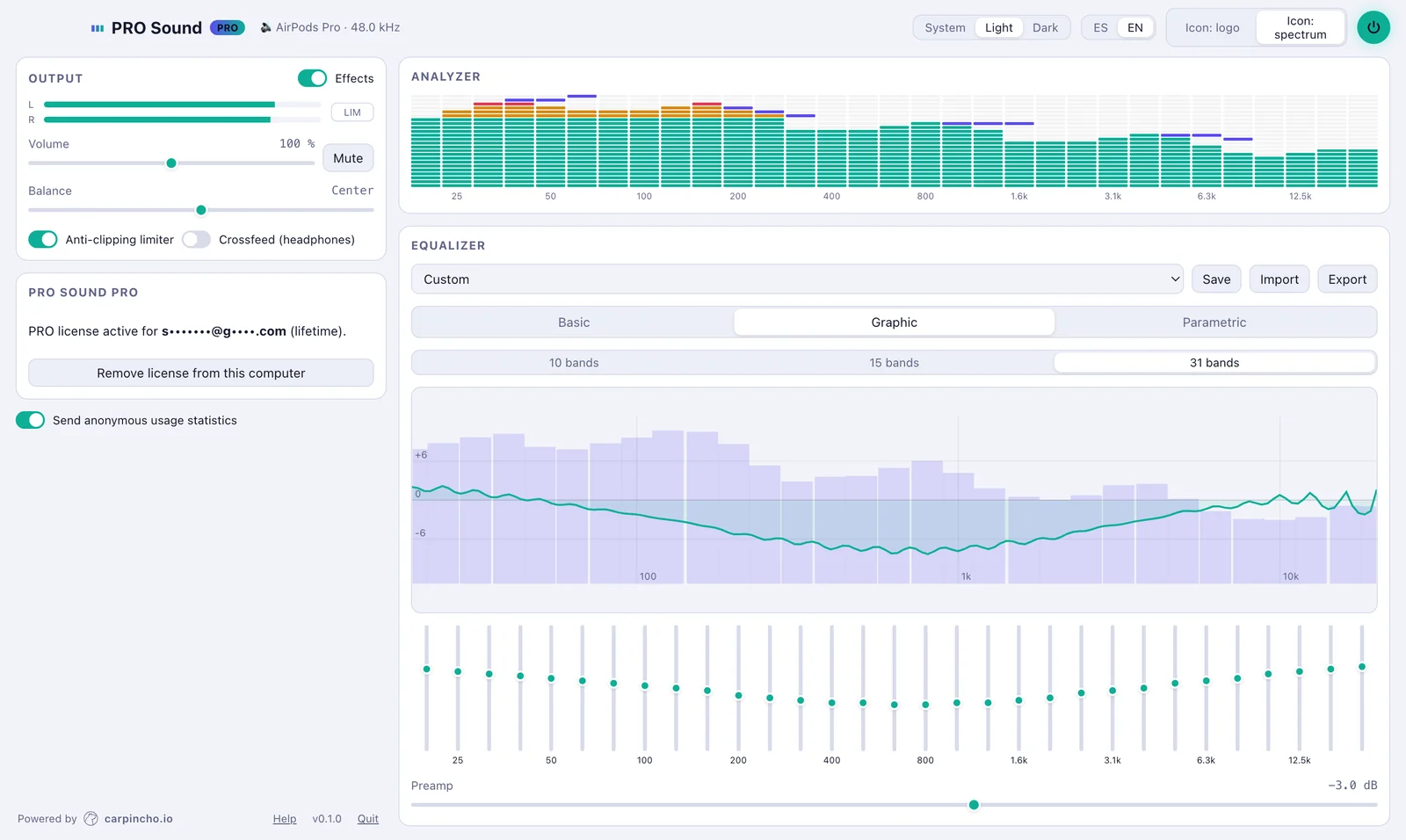
PRO Sound with the 31-band graphic EQ and spectrum analyzer, dark theme
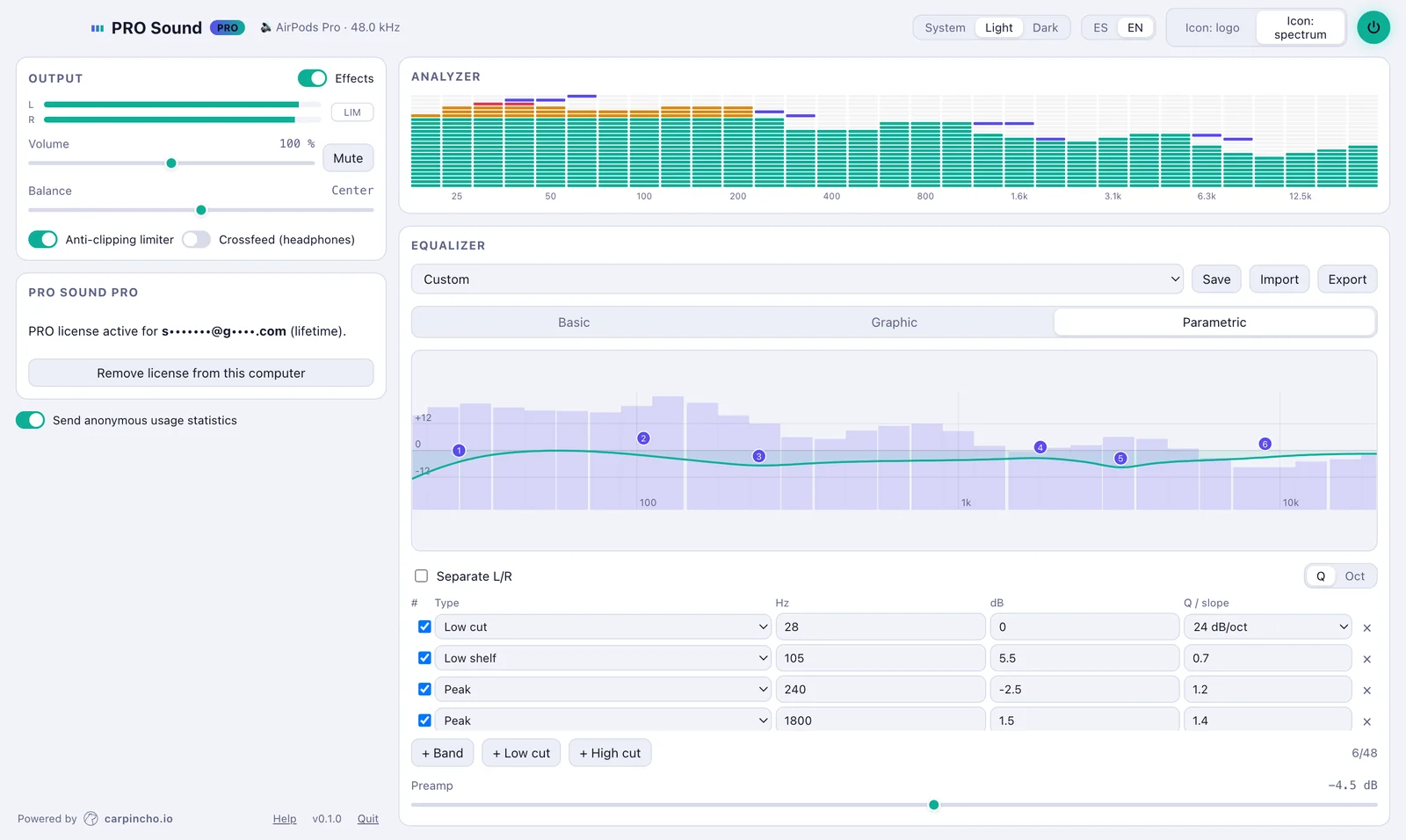
PRO Sound parametric EQ with cuts, shelves and draggable bands, light theme
PRO Sound in light theme
PRO Sound screenshots · 31-band EQ, parametric EQ, light and dark themes
Equalize the whole system
Bass, mids and treble, or a 10, 15 or 31-band graphic EQ. Applies to everything that plays, no per-app setup.
Louder, without distortion
Up to 200% volume with a limiter that keeps sound clean. Perfect for small speakers and laptops.
Headphones, tuned
Import AutoEq or Equalizer APO profiles for your headphone model and hear them as they should sound.
See what you hear
VU-style spectrum analyzer, over the EQ curve and live in the menu bar icon.
Light and multilingual
Under 10 MB, light or dark theme, English and Spanish. Your settings and presets stay on your computer.

(02)Use cases

An equalizer for every setup.

From the laptop that sounds too quiet to the studio or the radio station on air.

Equalizer for Windows PC

System-wide equalizer for Windows 10 and Windows 11: improve bass and treble on speakers, headphones, Bluetooth or HDMI across every program at once. A simple alternative to Equalizer APO.

Equalizer for Mac

Equalizer for macOS on Apple Silicon Macs, no drivers: it lives in the menu bar and equalizes Spotify, Apple Music, YouTube, Zoom and everything else.

Boost laptop volume

Laptop too quiet? PRO Sound boosts volume up to 200% with a limiter that prevents distortion, great for videos, classes and calls.

Headphone correction

Import your headphone profile from AutoEq or Equalizer APO and correct its response. With PRO, a parametric EQ with up to 48 bands and separate left/right channels.

Radio and streaming

Process the output of ZaraRadio, RadioBOSS or any playout software: EQ, limiter and a live spectrum analyzer to control what goes on air.

Gamers and creators

Hear footsteps better in games, shape your voice in streams and calls, and watch the live spectrum in the menu bar while you record.

(03)Basic vs PRO

Start free. Go PRO anytime.

Basic is free forever. PRO adds every band and the pro tools. Try PRO free for 14 days.

FeatureBasicPRO
Volume up to 200%, balance and mute●●
Anti-clipping limiter and headphone crossfeed●●
Basic EQ (bass, mids, treble) and 10-band graphic EQ●●
Built-in and custom presets●●
Import AutoEq / Equalizer APO profilesConverted to 10 bandsFull precision
Spectrum analyzer10 bands31 bands + over the curve
Light, dark or automatic theme●●
15 and 31-band graphic EQ (third-octave)—●
Parametric EQ with up to 48 bands and 11 filter types—●
Low and high cuts from 6 to 48 dB/oct and tilt—●
Width in Q or octaves, drag bands on the curve—●
Separate left and right channel EQ—●
Live spectrum in the menu bar icon—●

(04)Pricing

One payment. Every feature.

Pay securely online and we email you your license key. Paste it in the app and you are done.

PRO yearly

USD 19per year

  • Every PRO feature
  • 1 computer (Mac or Windows)
  • Updates included
Buy now →

Basic

Freeforever

  • Basic and 10-band EQ
  • Volume up to 200%
  • 14-day PRO trial
Download free

Each license is for one computer. Need several (studio, radio, company)? Write to us for a custom price.

(05)Download

Install it in a minute.

The same download works for Basic and PRO: you activate your license inside the app.

MacmacOS 14.2 or later

PRO Sound for Mac

  • Apple Silicon Mac (M1 or later).
  • The first time, macOS asks permission for “System Audio Recording”: allow it so PRO Sound can equalize.
  • No drivers installed.
Download for Mac · 4.0 MB

WindowsWindows 10 and 11 (64-bit)

PRO Sound for Windows

  • Includes VB-CABLE, an external driver required to run the program, free to use. It installs automatically.
  • Windows asks for administrator permission during setup.
  • If Windows shows “Windows protected your PC”, click “More info” → “Run anyway”.
Download for Windows · 4.1 MB

(06)Activating PRO

From purchase to sound, in minutes.

  1. Buy onlinePick a plan and pay on the secure checkout page.
  2. Get your keyWe email it to you. It starts with “PS1.”.
  3. Paste it in the appIn the PRO card, paste the key and click “Activate”.
  4. DoneActivation needs internet once; after that it works offline on that computer.

(07)FAQ

Frequently asked questions.

What is PRO Sound?
A system-wide audio equalizer: it tunes everything that plays on your Windows PC or Mac (music, YouTube, Netflix, games, calls and radio) from a single app.
How do I equalize all the sound on Windows 10 or 11?
Install PRO Sound, pick the basic EQ, the 10-band graphic EQ or a preset, and that is it: it applies to all Windows audio. No per-program setup.
Does it work with Spotify, YouTube, Netflix and games?
Yes. PRO Sound equalizes everything that plays on the computer, whatever the app.
Can I boost my laptop volume above 100%?
Yes. PRO Sound raises volume up to 200% with a limiter that prevents distortion. Ideal for small speakers.
Does it work for a radio station with ZaraRadio, RadioBOSS or other playout software?
Yes. On Windows, choose “CABLE Input” as the output in your playout software and PRO Sound processes the signal before it reaches the sound card: EQ, limiter and live analyzer. Write to us and we will help you set it up.
Is it an alternative to Equalizer APO, FxSound or eqMac?
Yes. PRO Sound brings graphic and parametric EQ, headphone profiles (AutoEq / Equalizer APO) and a spectrum analyzer together in one simple app, on Windows and Mac.
What is VB-CABLE?
An external driver, required to run PRO Sound on Windows and free to use. It creates a virtual audio output the sound goes through to be equalized. It is installed together with PRO Sound.
Do I need internet?
Only once, to activate your PRO license on your computer. After that it works offline.
On how many computers can I use a license?
Each license is for one computer. If you switch computers, write to us and we will move it.
Does the app send data?
Only anonymous usage statistics (version, OS and whether you use Basic or PRO) to improve the app. Never what you listen to. You can turn it off with a switch in the app.
What if I am not convinced?
Try PRO free for 14 days before buying. If you have any problem after paying, write to us.

(08)Contact

Questions? Write to us.

Questions, setup problems, licenses for several computers or for your radio station. We reply by email.